25 years of honing the same thing.
You assign it, they complete it, you see it. From mandatory training to hands-on instruction and expiry tracking — in one record.
Three mandatory trainings today. A competency matrix tomorrow. The same system.
The same system, in the cloud or on your own servers — still small today, multiple sites tomorrow
How deep shall we go?
Same system. Three depths.
This is all the user sees.
A course in minutes, an exam in one click — usable without training the trainers.
See how existing material becomes a course →
Meanwhile, working automatically in the background:
Simple up front. An engine behind.
Your own PDFs become searchable too.
No prepared material needed. On upload, the system reads the text of every slide and stores it separately — the course search then shows, for any word, which material and which slide it is on.
- Policies, manuals, training decks — whatever you upload.
- Every hit pinpointed to the slide, highlighted.
- Narrow it down with tags.

From the role to provable competency.
One chain where every link lives in the same system — so nothing gets lost along the way.
What a manager sees
No need to ask around about where training stands. Three views, and you know where to step in.
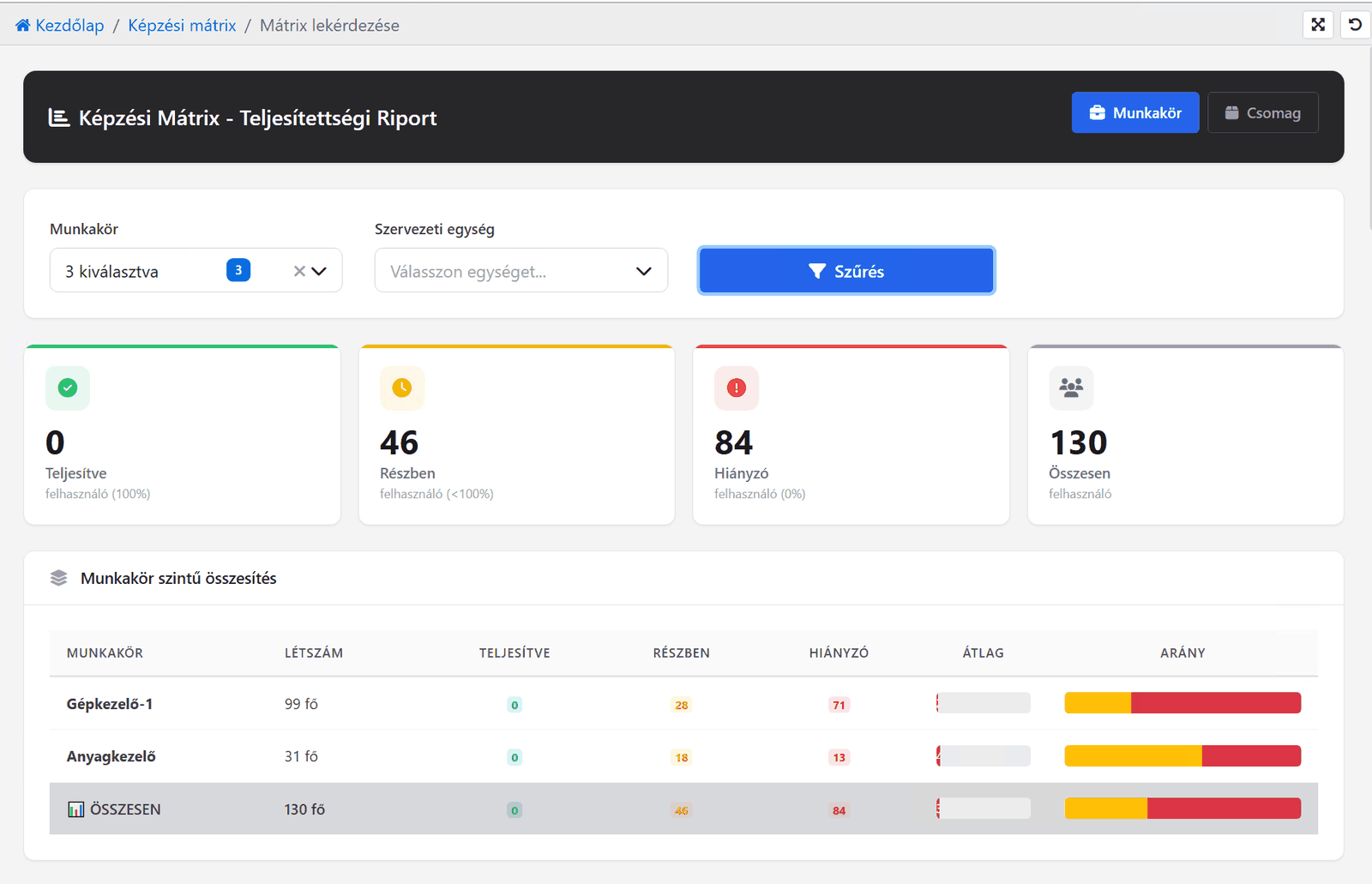
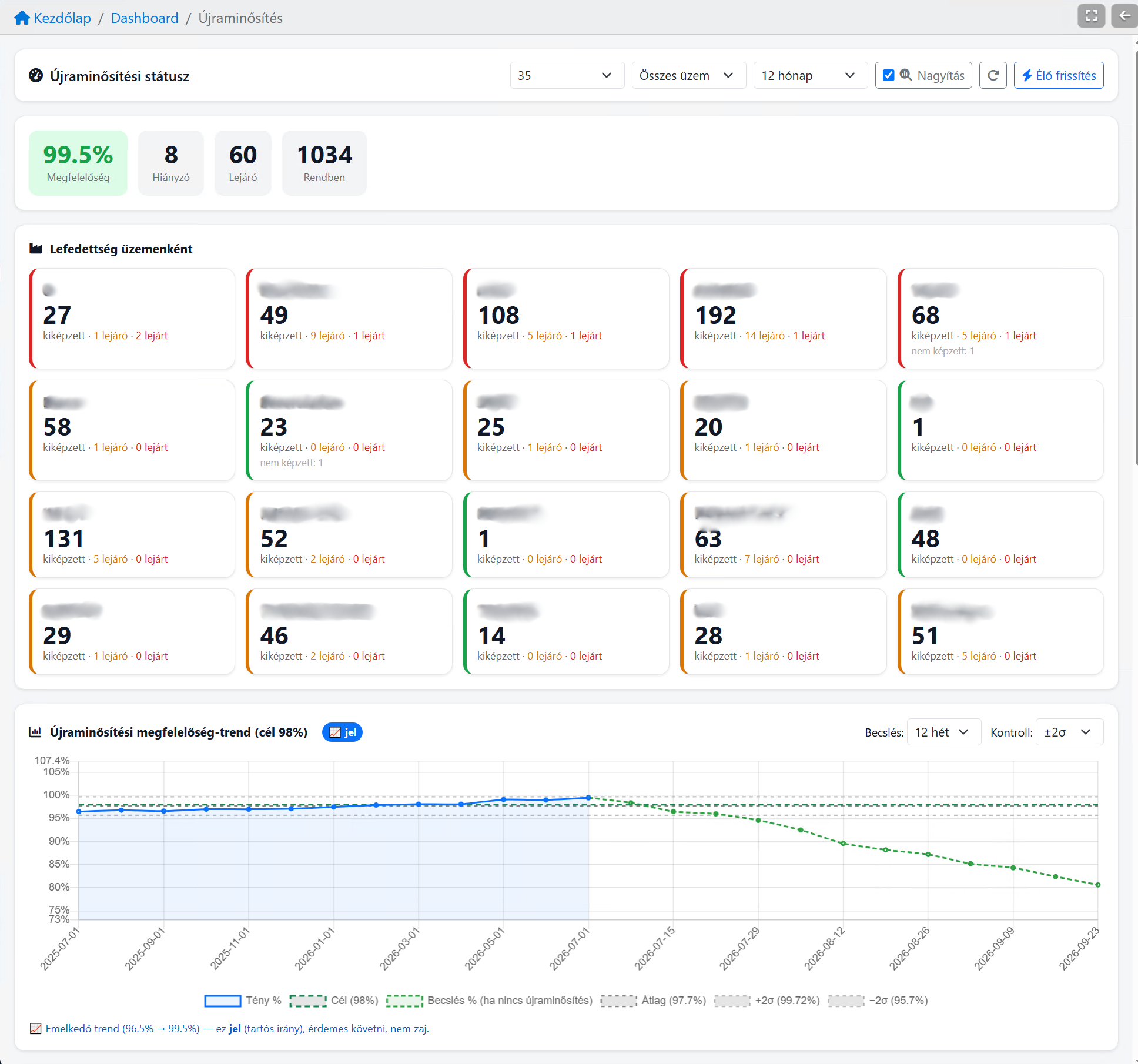
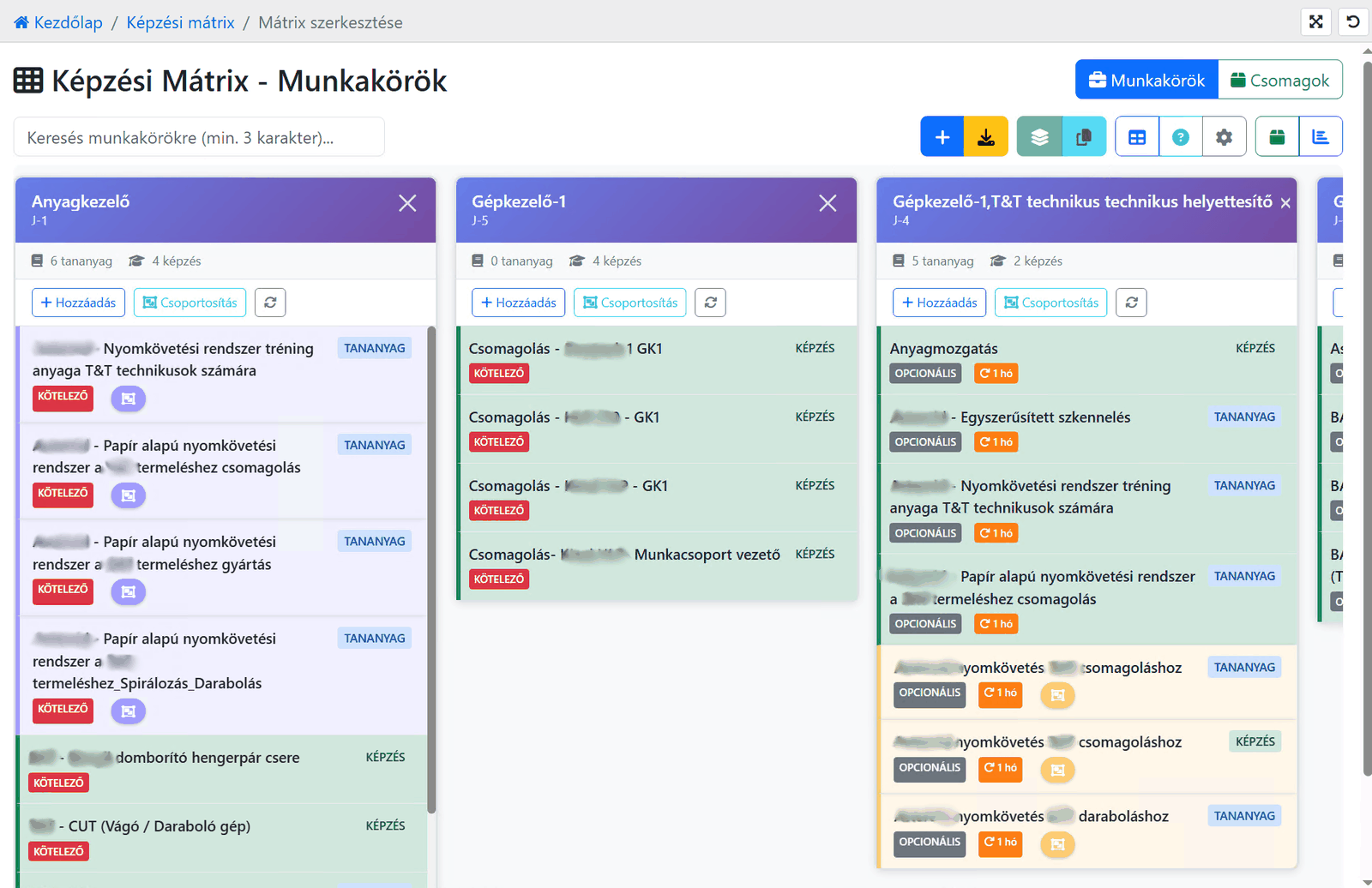
Real screens from live systems, with client and personal data redacted.
See the full report gallery →Who can step in tomorrow?
See on one screen how well each employee is trained for a job, even one that is not theirs. For cover, transfers and replacements.
Get to know the readiness map →One system handles both worlds.
From online courses to hands-on training on the shop floor — the same records, the same evidence.
Online
- Course — PDF, video, SCORM
- Online exam
- Automatic certificate
Classroom and practical
- Practical training — recorded on paper, by QR or by RFID
- Hands-on training at the workstation
- Checklist and competency assessment
Both paths end up in the same place: records → requalification → dashboard.
Your existing material becomes a course. With an exam.
You send a PDF or Word file. We build the course, the questions and the first exam from it — then your team can keep editing it.
-
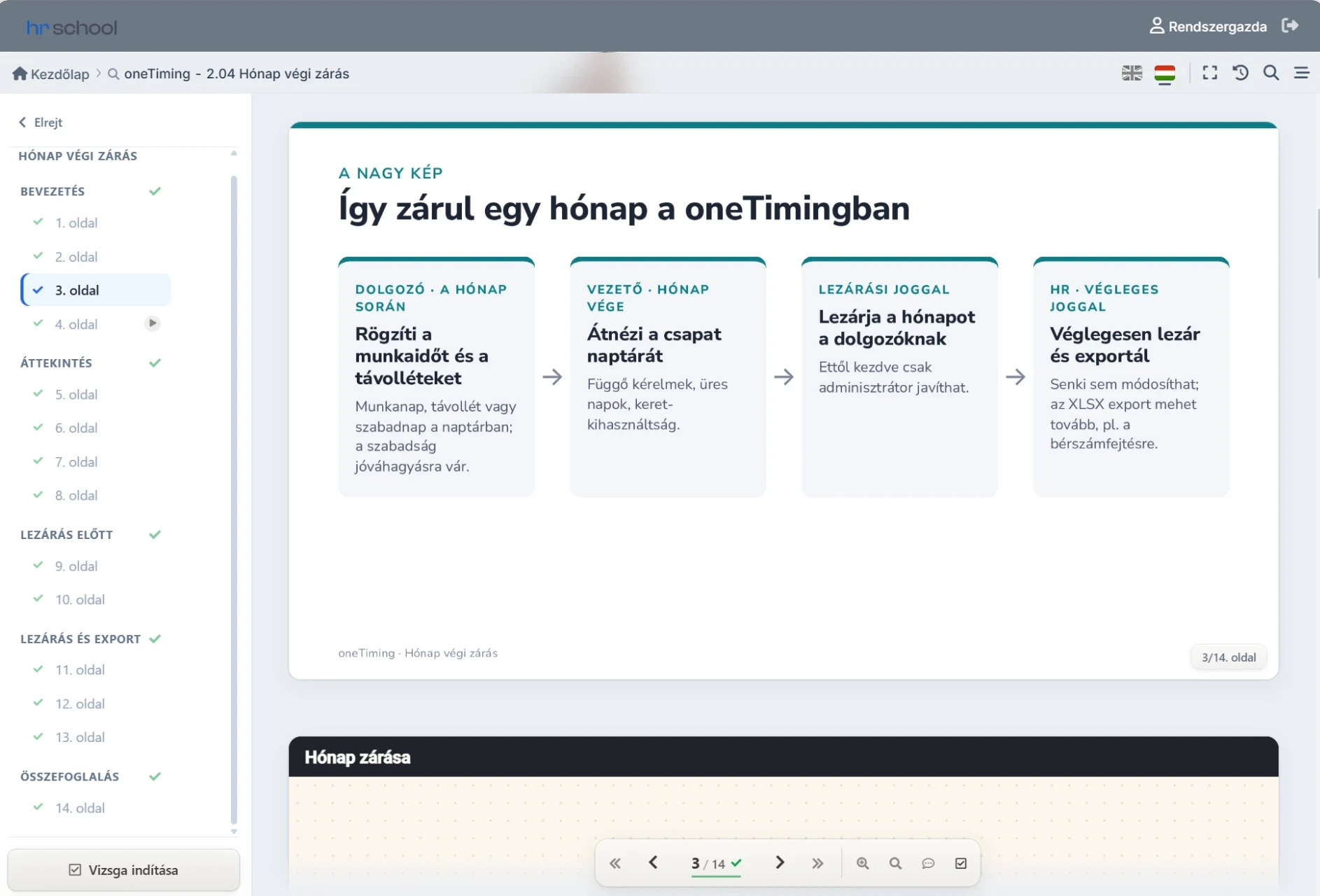
From PDF or Word
Policies and handbooks become clear slides.
-
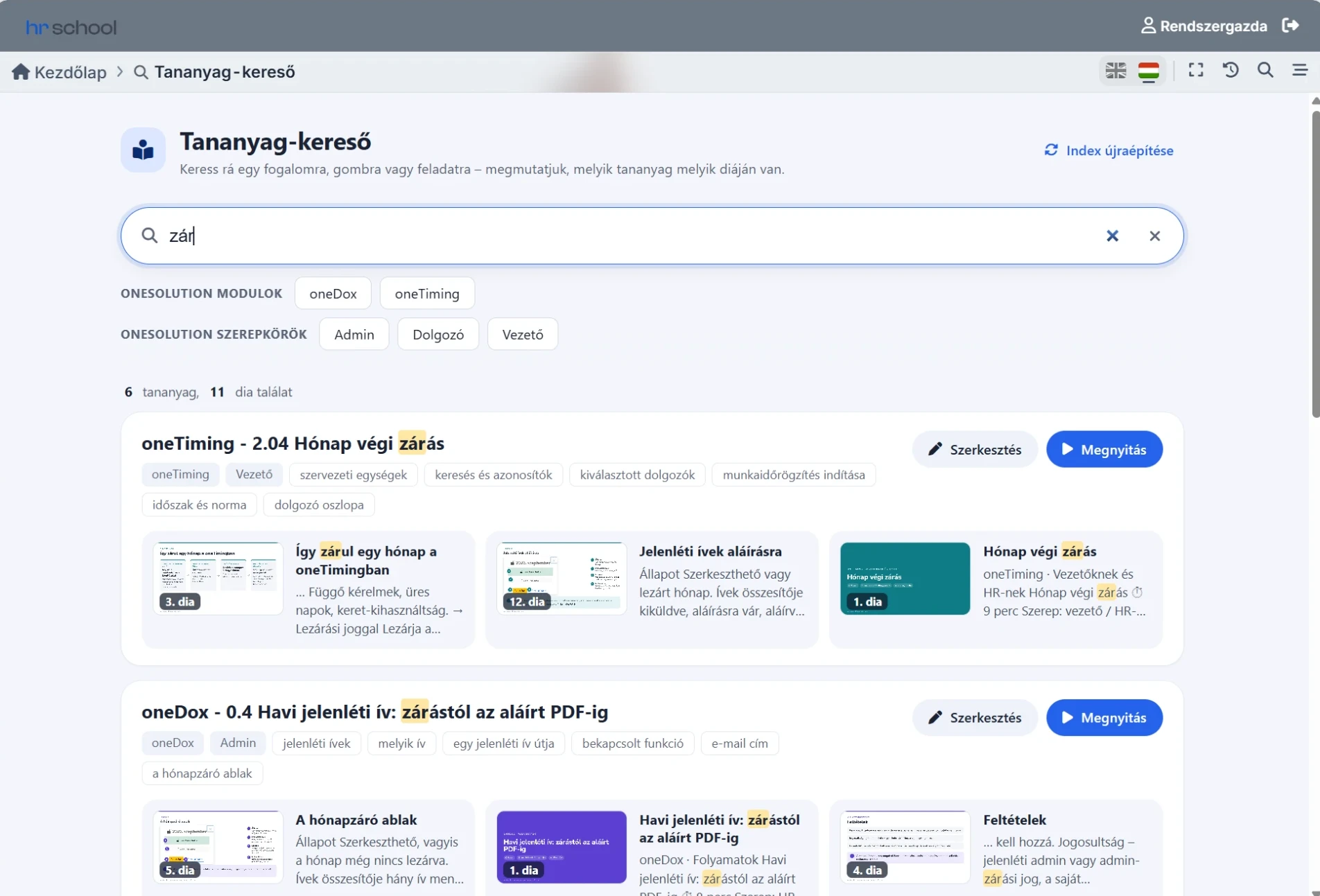
Not a locked PDF
Searchable slide by slide, organised in chapters, adjustable later.
-
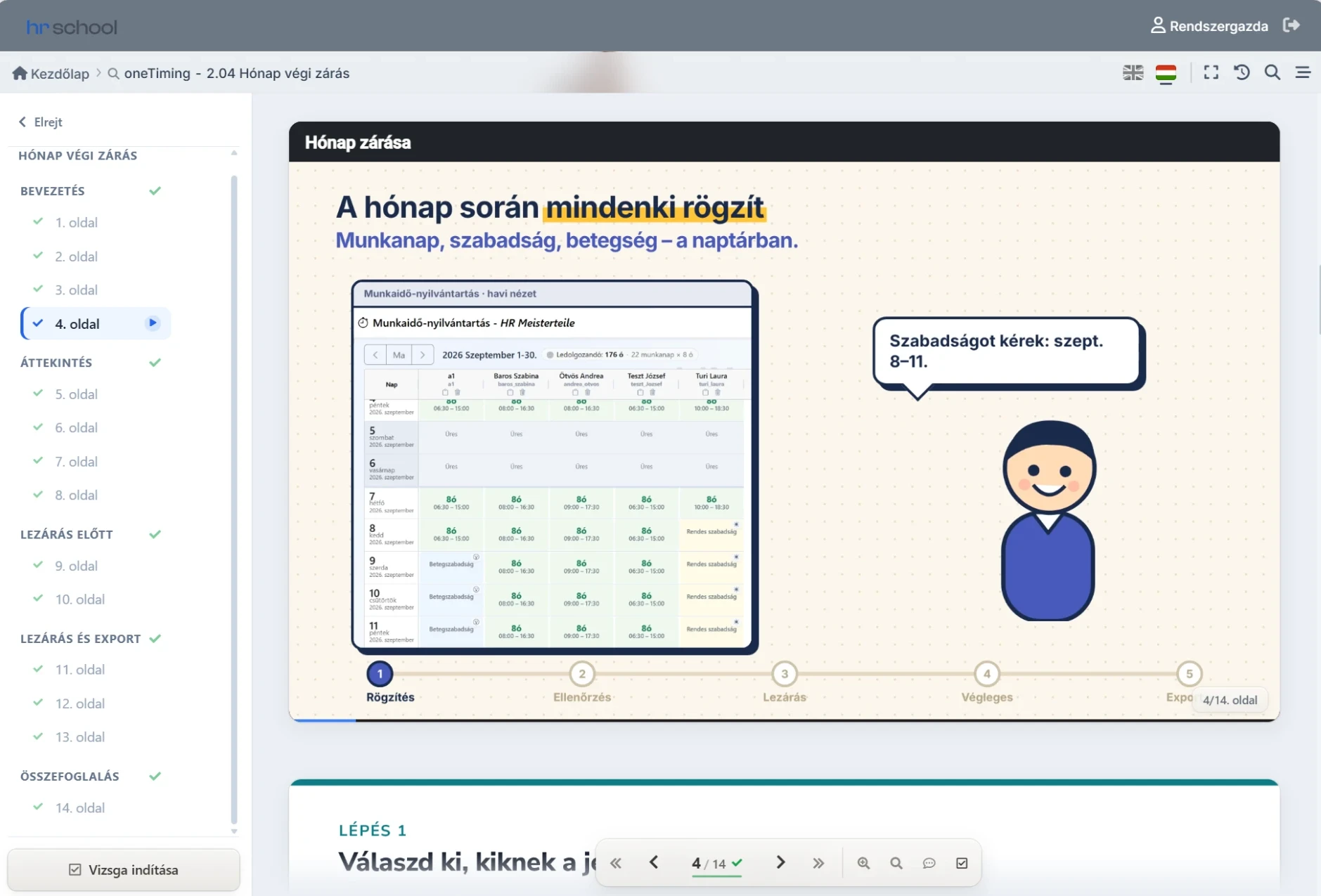
Animation and video
The steps play out on the real screens.
-
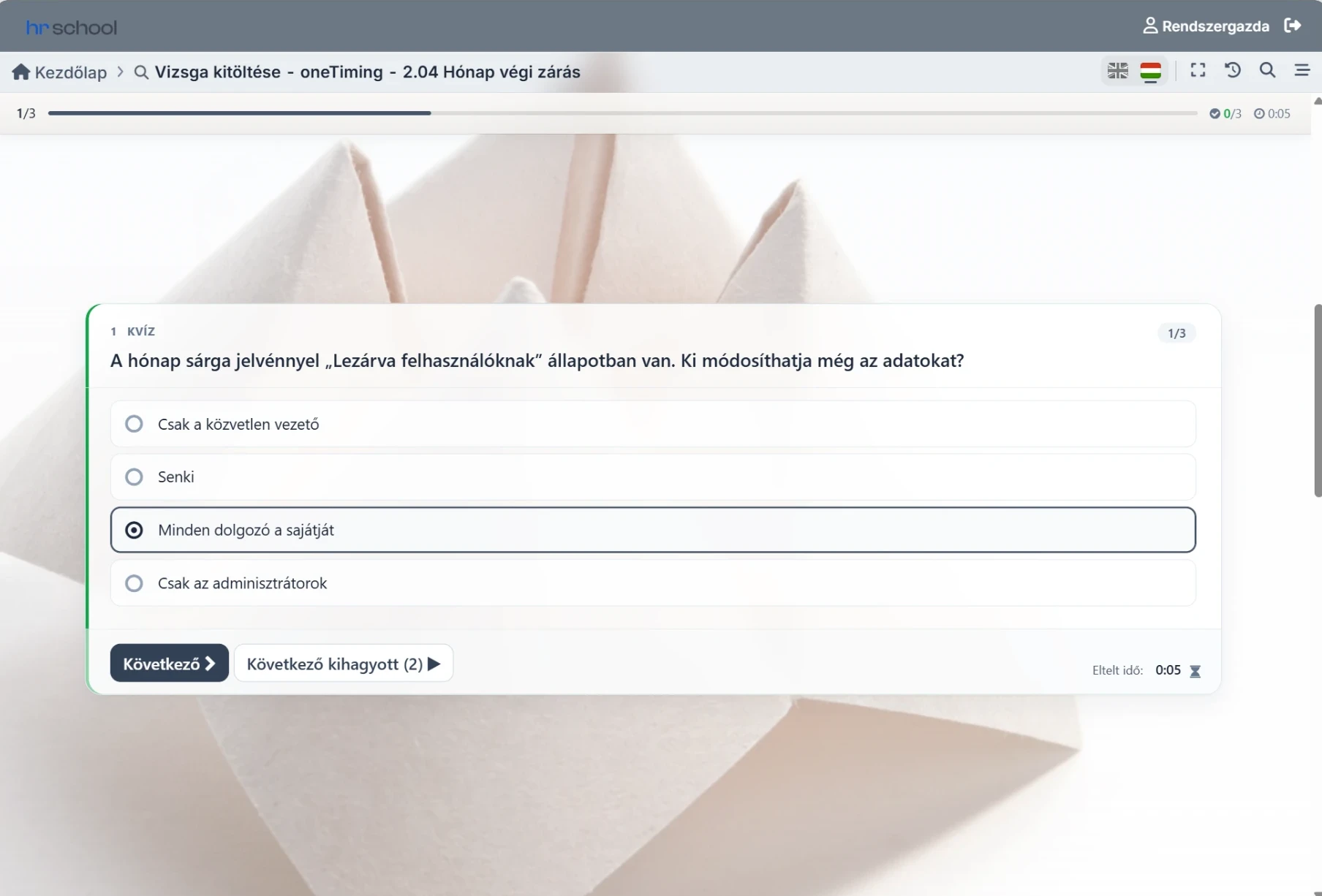
Exam included
Questions from the material, results in the records.
We don't just deliver content. Assignment, exam, tracking and reporting stay in the same system.
Training that holds up in an audit.
Has everyone completed it? Whose training expires next week? Where do we need to act? — in one place, provably.
Training matrix
On Monday morning you can see exactly who may work on the new production line — by role- and skill-based requirements.
Expiry and requalification tracking
The system warns before a mandatory training expires — requalification doesn't slip.
Exam module
Five minutes after a shift you can see which topic most people failed — evaluation and certificates are automatic.
Ready for regulated environments, too.
On request, the system can be configured for paperless operation that meets GxP requirements — and it is used in such environments.
Knowledge article: training management in regulated environments →If you want to go deeper still
Exam engine, qualifications, hands-on training, audit trail — the full picture.
Take me deeperStarts simple. Can't be outgrown.
Simple for an 80-person company
could start tomorrow- Fast rollout
- A course in minutes
- Simple assignment
- Easy to use
Strong enough for thousands of employees
proven in manufacturing- Training matrices
- QR and RFID attendance
- Checklists and audit
- OEM environment, multiple sites
In daily use for 25 years. That's the difference.
The first production rollout was in 2002 — straight into a bank with 2,000 employees. The system has worked every business day since, and every feature matured in production use.
first production rollout — a 2,000-person bank
- 25 yearsof continuous daily use and development
- 3,000,000+online exams completed since
Frequently asked questions
What HR teams ask most before rollout.
Can I upload any kind of material?
Do you create training content too?
How do I know whose mandatory training is expiring?
How long does it take to gather who did what before an audit?
Does it handle classroom and practical training too?
Do I need my own server?
Ready to use within a week.
With an employee list and one or two PDF courses at hand, the first online training can start within a week.
Contact
Email address
info@onelearning.infoPostal address
One Learning Zrt.
1021 Budapest, Budakeszi 51/D C.ép. II/5